Page Last Updated:
November 26, 2026
Shopify for Independent Bookstores
The Only Complete Solution
for Shopify Booksellers
Unify your brick-and-mortar and online sales. Access Ingram’s entire catalog, automate replenishment via Pubnet, and sync seamlessly with Shopify POS



Need any help?
We're here to help you get started with Shopify App for Ingram Retailers
We're here to help you get started with Shopify App
for Ingram Retailers
See the video transcript
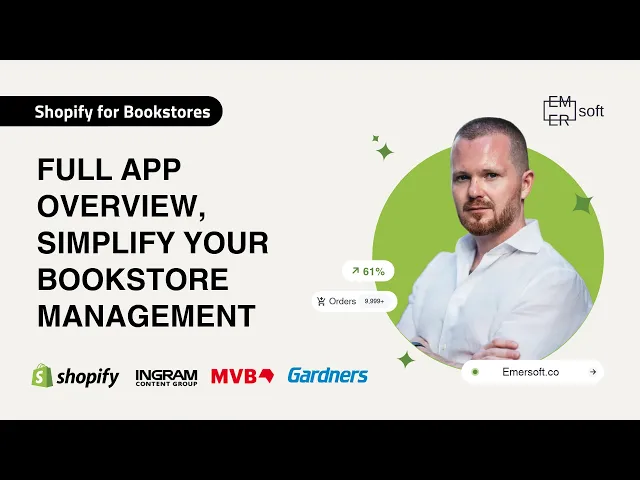
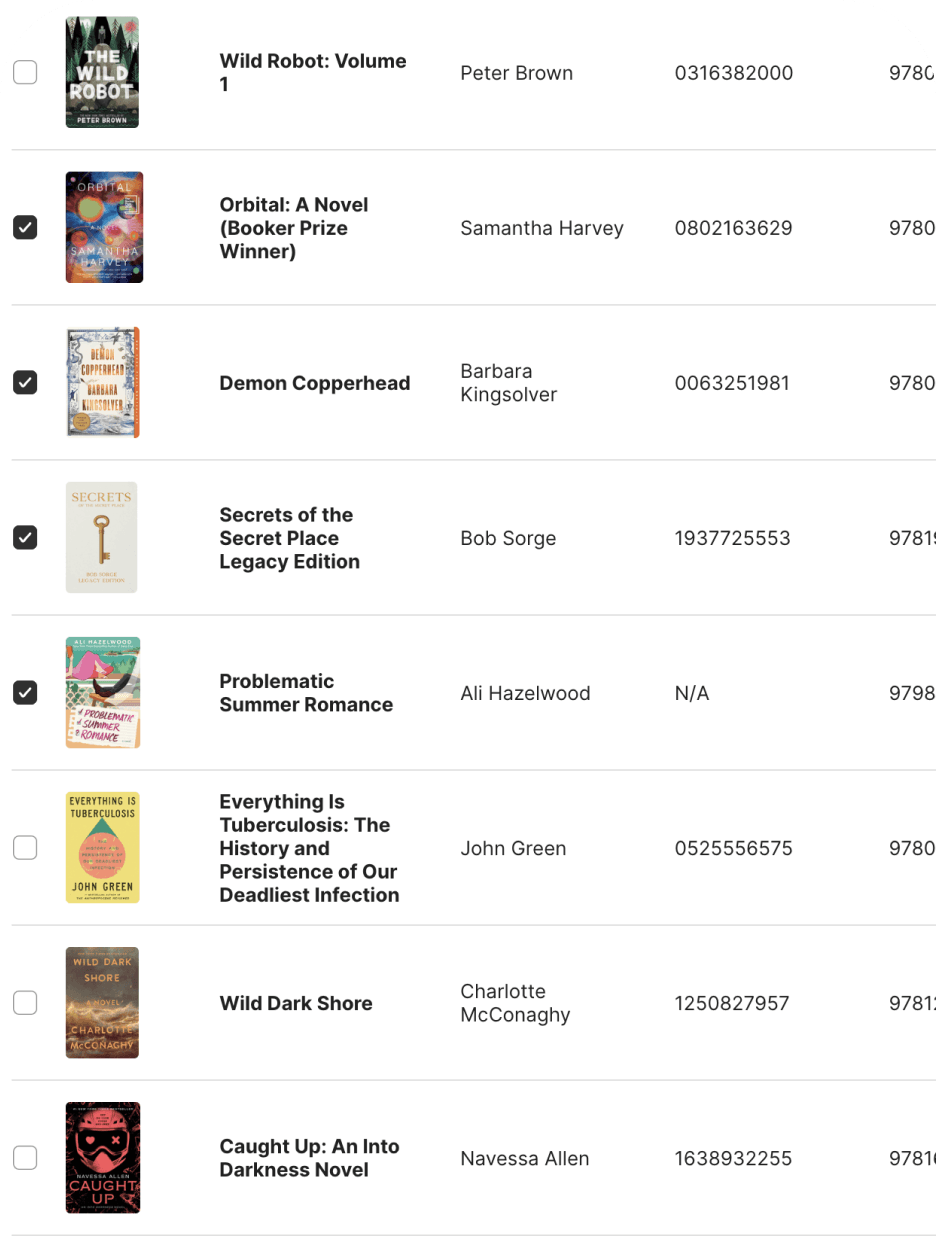
Hi guys, it's Pawel here from Emersoft, and in this video I would like to walk you through our Emersoft Books application in Shopify and show you all the features at a high level, because going into details might take too much time. You can always reach out to our customer support and we are happy to help you with the entire setup. Here's just the overview. So first of all, we land in Shopify, and from here our application consists of three main components. The first one is the access to the data. So through our app, you have access to more than 40 million titles' data. However, 14 million of them can be fully fulfilled by Ingram in the US, or around 2 million titles in the UK by Gardners UK. So we cover both markets, the US and the UK. In the US we use Ingram and in the UK we use Gardners. So from here I can go and browse the catalog, and we have different filters. You can see frontlist only, which are titles that are not published yet. You can see bestsellers. You can filter by binding and languages. We have more filters, like publication date. So if you want to see books that were just recently released, or coming soon, that are going to be released within the next few months. Or maybe you want to see books that were released in the last 5 years. So you can filter this out here. You can also filter by audience age if you are, let's say, a kids' bookshop. From here you can also filter by BISAC subjects if you're looking for a specific category. Also search by keyword, title, author, publisher, series, or just a single book by ISBN. We also have information about the binding. Some books, as you can see, are hardcover and paperback. And in this case, if you select both, our application creates a single product in your Shopify store with multiple variants. So the binding is a variant with its own specific stock information from Ingram, or Gardners in the UK. And this is a much better user experience on the storefront and also for you to manage all the books. So if I open any of those titles here, I can see all the details, like the cover image, the title, we have the author information, the fully formatted description, tags that we map from BISAC subjects in the US and from Thema in the UK, from Gardners. We have the publisher information, publication date and a lot more that we also add to metafields on the product page. In this particular example, I'm using our store in the US. So I have access to the inventory in Ingram. And that is very helpful information for us for the second component of our application, which is the Consumer Direct Fulfillment. So with our application, you can fully automate the fulfillment of single products directly to your customer. So let's say you have a brick-and-mortar that you already order books for, and you are very busy with your customers and day-to-day operation, but you want to scale your e-commerce or even start selling on TikTok Shop or other sales channels, but you don't want to add more work to your day. So that's a perfect solution where you can just import books, scale up your catalog in Shopify. With our application, you can very easily add additional locations and then just get the online orders fulfilled by Ingram in the US or Gardners in the UK. The same for TikTok orders. Because with our app and full access to the data, you can easily sync this back to your TikTok Shop. So let me show you how to import products. Those with checkboxes here, that means all those products are already imported. Let me maybe find history. I'm a history bookstore and I want to see history books. So from here, a lot of those books are already imported, but I can see this paperback and, let's say, okay, that book looks interesting. So I can also select that. And as you can see, I have three books to import. We have information like the suggested retail price. We also have the cost information. If you're in the UK with Gardners, you can set your terms and have your cost being updated in Shopify. You can also apply tags to the batch of products that you're selecting. So, for example, you're getting ready for a pop-up or something like that, you can add a tag for a summer sale and it's much easier to find it in your Shopify. So, now I confirmed and those books are being imported to my store. I can navigate back to products in Shopify and those books are being added gradually. So, let me open an example book that I already imported previously. So this one here, as you can see, we have a fully formatted description. We have a lot of tags, and those are BISAC subjects. We also have information about the series, and this is very useful for the organization of products in your store. You can set up smart collections with conditions that are looking at tags. We have more details about the BISAC subjects and tags in our documentation page. They have the prefix number that depends on the level of the BISAC subject. Then from here you can see we have the price section already populated. This is a retail price. That's your cost, and the margin and profit are automatically calculated by Shopify. Here is the inventory. So we add, in the US, the Ingram location with the inventory synced with Ingram at all times, to make sure that when a customer orders a product on your storefront, that number is always up to date and there are no surprises. However, as I said, if you have a brick-and-mortar, you can always enable your brick-and-mortar location and keep the inventory up to date for that location. And if you use Shopify POS, we also have extensions for the POS to make the receiving much easier and to handle special orders. So right now I added that location. And then if you scroll down to metafields, we also have a lot of additional data under the variant metafield and the product metafield. So you just need to click "View all" and see what is there about the book. And the same with the variant. We have information about the publication date, which is also very useful because we have automations or workflows where you can easily manage your pre-orders in smart collections, or you can organize those pre-orders by month. So, for example, you can have the November releases, December releases, January releases, and once the book is published, then the metafield that we have for the pre-order is turned back to false, which keeps everything fully organized and automated in your Shopify store. Then the second component is the Consumer Direct Fulfillment, and we cover both the US with Ingram and the UK with Gardners. So, as I go to orders, we have an example order here. As you can see, it's fulfilled by Ingram and we get a tracking number and all the updates about the order. So, essentially, that automatically connects to your Ingram account and orders are being shipped directly to your customer. And that's an easy way for you to scale up your e-commerce operation without any extra work, any logistics or investing into more inventory. And then the next huge component of our application is Pubnet orders. So from here, let's maybe start with settings. I can navigate to Pubnet. I can connect my Pubnet account and provide the SAN number. And from here I can select the suppliers and publishers that I work with, where I want to make orders to replenish my stock in the brick-and-mortar. So let's say I have those four selected. There are more than 180 available in the Pubnet network. From here you can also select the minimum orders. So let's say if HarperCollins requires you to place orders for at least $200, you can also change it to copies or titles. And that information will be tracked on the Pubnet orders view. So as you connect Pubnet, you can navigate to Pubnet orders. And from here you can create draft orders. So you can go from here, select the supplier. Let's say I want to get HarperCollins. We also support discount codes. You can upload a CSV file, paste ISBNs or just select products from your Shopify store. I have an example CSV file with ISBNs and quantities. So I can either upload it or just copy this and paste it here. I have my ISBNs and quantities. Now I can add, and the PO is created with all the quantities. Save it. And from here I can see that I significantly exceeded my minimum order requirements. So it's all good there. I can still adjust the quantities, upload the CSV to extend that PO or just paste ISBNs. And once I'm ready, I can just request fulfillment. And that order goes directly to the supplier. And then as the supplier sends us updates, this is all updated and reflected in your Shopify. So, as I go back to purchase orders, and I will show you one of the already shipped, then I can see that in this purchase order, I'm only going to receive one box. One title was cancelled by the supplier. Then we have the information and also the ordered titles. This is my initial, original order with some information as well. This one was already received. So, as you can see, there is a history of receiving, and I can also still finish receiving this one. We have a Shopify POS module that makes it much easier. So, you can scan the box. The PO would pop up on the POS device from Shopify. And then you can use the scanner to actually count those books. So, for example, with this one, I'm expecting one, and then one was received. But I can also mark this as one damaged, or if I received none, then it will be noted as one short. So I was supposed to receive one, but I haven't received it, and then this is noted as one short. You can confirm, and this information is synced back to your Shopify, and also later on you will be able to export reports on those items that were either missing or damaged. This will be all connected to the purchase order and the invoice. So you will be able to filter by supplier, by month, and this will make it much easier to do the returns and refunds. So from here I can open, let's say, this title, and as you can see, we also have a block, and this gives you a history of purchase orders for this particular title. You can see when it was created, how many quantities, and then the dates of confirmed and shipped, and you can see the active POs, those that are currently not yet fully received, or past POs. Then we also display a supplier for that book. And if I go to the inventory here, so that's my hardcover, and see the adjustment history, I can see that Emersoft Books added 10 copies on this date. So everything is inside of your Shopify admin panel and you can do a lot with that. Then let me go back to our application, and we have a couple of widgets as well. One is Global Search. So this is a huge feature. This extends your search on your storefront with the entire catalog of products, either from Ingram in the US or Gardners in the UK. So you don't even need to import books to your store to make them available for your customers to find on your website. So let's say you have a history bookstore. You imported a curated 25,000 titles. They are available on your website. They are indexing on Google for your brand. And all those titles are there. And then your customer goes to your website and is just looking for some totally random title that you haven't even thought about. And the Global Search still allows them to find this title on your website. Once they open that title, the availability will be checked, then it's imported to your store and the customer will be able to order that product as if it was already in your store. So let me show you how that works. I will use one of our customers as an example. They are based in the UK. So this is their search, and if I type "animal", then the Global Search prioritizes products that are already in their store. So the top search results are products that are already imported. And from here you can see this is the extension. So those products are part of the Gardners catalog, because I'm just looking at the UK right now. And they are not added to your store yet. So now, let's say I'm interested in this book, and then it's checking availability, the product is being added to your store. And as you can see, the experience is as if the product was already there, and I can add it to the cart, order, and this will be fulfilled by Gardners in the UK or Ingram in the US. So you don't have to send people to any third parties anymore for products that you don't have in the store. Everything can be handled automatically. You don't need to do anything. I'm back in our Shopify application settings and you can navigate to Global Search, and from here there are some customization options. First of all, you can exclude BISAC or Thema subjects, depending on whether you are in the US or UK, for products that you don't want to show in your search results. So if there are any particular topics that you know that you don't want to be there in search results, then you can just exclude them from here, or if there are any specific books, you can also provide ISBNs, and I will also show you how to manage that. So as those products are being added to your store on demand, we also add a tag. So I created a smart collection called Global Search, and that tag is equal to "Emersoft Books Global Search". So every book that is imported by a user looking for a product on your store will have that tag here. So you can just simply create a smart collection that is not public. It's not going to be displayed on your storefront. And from here you can see what products people are importing to your store on demand, and something that you have or you didn't have. So from here you can see what products were imported and then decide if you want to keep them on your website or remove them. I have a full video on Global Search separately if you want to learn more details about it. Then another widget that we have is a product details widget. So as I go to my online store in Shopify, edit theme, and I can navigate to products, default product template, and from here let me get another book. So now I have this book here, and as you can see, there is a book details widget that shows all the additional information about the book, and you can also manage that from here, what you want to show or what you want to hide, and you can grab that from the sections, apps, and then just select book details. And then another widget that we have is a book preview. We integrated with a third party that allows you to preview books. So if a publisher opted in, then there will be a preview button that you can fully customize. You can also change the text, and then as a customer browses products on your website, they can click the preview and it will open a few pages of the book so they can read it, and if they like it, they can just purchase that. So everything is fully customizable, as you can see. We cover a lot of requirements for the book industry. We've been working with a lot of booksellers. We get feedback and act quickly. So this is a very high-level overview of this application. I have separate videos on each of those features. If you want to learn more, we also have extensive documentation that I recommend checking out. And if you have any questions or need some support, you can always reach out to our team and we are happy to help.
Disclaimer: This product is not affiliated with or endorsed by Ingram Content Group ®
Key Features
Everything you need to streamline
your bookstore operations
Import Any Book Instantly
Browse Ingram’s catalog of 12M+ titles and add books directly into your Shopify store — complete with descriptions, cover art, categories, and audience tags. No spreadsheets or manual data entry required.
Automated Order Fulfillment for Ingram Retailers
Every Shopify order is automatically fulfilled through your Ingram’s CDF Lite account. Shipping and status updates flow back into Shopify, so your customers stay informed - without extra work from you.
Zero Manual Processing
Customer Updates
For Ingram Retailers
Automation
Faster Shipping
Real-Time Tracking
Enterprise Access, No Barriers
Building a direct integration with Ingram’s CDF Lite service usually requires a $2,000 integration fee paid to Ingram, plus custom development work to connect with their system. With our app, you skip both - no $2,000 fee, no custom dev work. Just plug in your approved Ingram account and start selling through Shopify right away.
No $2,000 Integration Fee
Catalog Access Included
Full Metadata Inside Shopify
Verified through Ingram’s integration testing process.
Smarter Catalog Organization
Imported books are auto-tagged with BISAC subjects, making it simple to build Smart Collections in Shopify. Now you can organize, filter, and showcase products strategically with zero manual effort.

Scale your bookstore without limits
Unlock the same tools the largest booksellers use — automated, affordable, and built for Shopify.
Get in touch
Ready to simplify your
bookstore operations?
Whether you have questions, need a walkthrough, or want help getting started - we’re here.
Pricing plans
Simple pricing. No setup fees.
Pick the plan that fits your bookstore. Switch to yearly billing and save up to 2 months.
Starter
For booksellers, authors and small publishers getting started.
$149
/month
Yearly: $125 /month ($1,500 billed yearly)
Up to 1,000 books
Search the Ingram (US) or Gardners (UK) catalog
Single-title import with covers and metadata
Automatic order fulfillment and tracking sync
Pre-orders and Book Details Widget
Self-serve setup with docs and video tutorials
Digital Bookseller
For online booksellers with a growing catalog.
$300
/month
Yearly: $250 /month ($3,000 billed yearly)
Everything in Starter, plus:
Unlimited titles
Bulk CSV import
Global Search: sell any title in the catalog, even before you import it
Concierge catalog service
TikTok Shop order routing
Omnichannel Pro
Most popular
For bookshops that sell online, in store, and buy shelf stock.
$400
/month
Yearly: $350 /month ($4,200 billed yearly)
Everything in Digital Bookseller, plus:
Pubnet EDI purchase orders
Receiving into Shopify inventory
Multi-location inventory
Shopify POS support (1 location included)
Assisted Onboarding: $1,500 one-time. Optional on any plan. We set up your store, import and enrich your catalog for you.
Additional physical POS locations: $100/month each.
Prices in USD. Not affiliated with or endorsed by Ingram Content Group®.
POS & Brick-and-Mortar Integration
“We run both a physical shop and an online Shopify store, and my biggest concern was keeping inventory aligned with our POS system. This app completely solved it - no double work, no mismatched stock. Now online and in-store sales run smoothly side by side”

Natalya U Calleja
Founder, The Book Lounge
Not sure if this is right for your store?
Every bookstore runs a little differently - brick‑and‑mortar, online, or both. If you’re wondering how this would work for your setup, let’s talk it through. Book a quick call and we’ll walk you through how other booksellers use the app successfully.
Client Story
See How Bookstores
Use Our App
This is just one of the many bookstores running on the Shopify App for Ingram® Retailers - simplifying operations, lowering costs, and making online sales easy.
See the video transcript
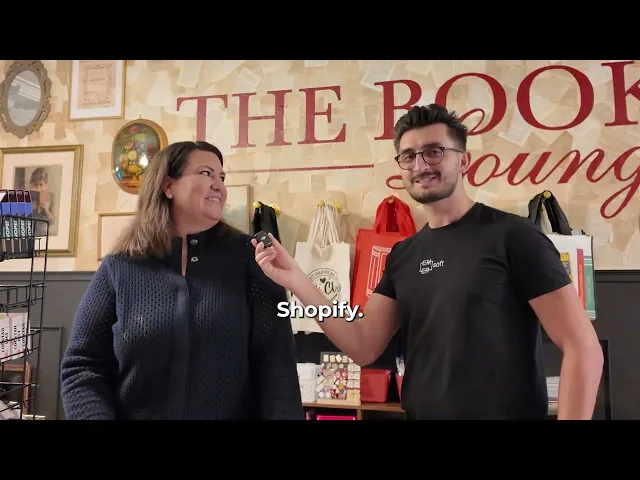
In this client spotlight, we sit down with Natalya, owner of The Book Lounge in St. Pete, Florida, to talk about how Emersoft helped her launch a full ecommerce bookstore with Ingram Shopify app, automation, and zero stress. Here’s what we cover: • How Natalya got her store live in under a week • Why she chose Shopify for POS and ecommerce • How we saved her dozens of hours with bulk book uploads • Why automation matters when you have a small team • What it’s like working with Emersoft from day one 📍 If you’re ever in St. Pete, stop by The Book Lounge: Address: 631 Central Ave, St. Petersburg, FL 33701 — grab a book, a coffee, or a glass of wine and relax. Transcript: Natalya: Hi, I’m Natalya, the owner of The Book Lounge here in St. Pete, Florida. We’re opening our store soon, and before the launch, we were both excited and a little nervous about getting the website right. Thanks to our partnership with Ingram and Emersoft, we were able to create a solid ecommerce website. When we first reached out, Ingram gave us a list of vendors. We did our due diligence, trying to learn who they were and who would be easy to communicate and work with. Emersoft stood out — not only because they were local, which was convenient, but also because of their clear communication, strong branding, and the solutions they offered. I was able to understand exactly who they were, which wasn’t the case with the other vendors. When I reached out, they called me the same day. We immediately started talking about solutions. In less than a week, my store was live and running. The process was easy. Working with them was great. Their customer service is amazing. The communication, step-by-step guidance, and payment process were all smooth and fast. I’m really happy with the solution. ⸻ Marcin (Emersoft): Hey, this is Marcin with Emersoft. I’m here in St. Pete with Natalya, the owner of The Book Lounge, and I’m going to ask her a couple of quick questions. Natalya, what POS are you using for your bookstore? ⸻ Natalya: We’re using the most straightforward option — Shopify POS. We don’t have time to reinvent the wheel. It’s the easiest approach, saves a ton of time, and it’s already integrated with our ecommerce setup. So definitely Shopify. ⸻ Marcin: And how has Emersoft helped your operation, especially in terms of automation and streamlining the process? ⸻ Natalya: We’re a small bookstore with limited staff, so I thought it was brilliant that I could just send Emersoft a list of books I wanted, and they handled the upload for me. That saved me a ton of time. Instead of doing everything manually, I’d send the list, and it would be uploaded by the end of the day. I could then review and publish the listings. It’s so simple. ⸻ Marcin: So without Emersoft, you’d probably need a full-time employee just to manage all that? ⸻ Natalya: Exactly. Doing everything one by one would be way too time-consuming. Sending it off and having it done for me saves time, money, and resources. ⸻ Marcin: And time is life. ⸻ Natalya: Yes, 100%. What we’re building here is about efficiency and smart use of resources. Emersoft’s solutions — paired with Shopify — make everything plug and play. No need to reinvent anything. ⸻ Marcin: That’s exactly our mission at Emersoft — to deliver efficiency and automation for businesses like yours. Especially for small business owners who need to squeeze the most out of every resource. There’s no room for inefficiency. Thank you so much, Natalya. ⸻ Natalya: Thank you. I appreciate all the support from you and your team. ⸻ Marcin: And since we’re local here in St. Pete, I just want to encourage anyone visiting this beautiful, tourist-friendly city to check out The Book Lounge. Natalya, what’s the address? ⸻ Natalya: Address: 631 Central Ave, St. Petersburg, FL 33701. Come visit — have a glass of wine, a coffee, grab a book, and relax with us at the lounge. ⸻ Marcin: Looking forward to it. I’ll be the first in line.
65%
Reduction in Operational Costs
"Before using the app, we spent hours every week uploading titles and managing orders manually. Now product imports are handled for us, fulfillment is automated, and we’ve cut our operational costs by more than half. It feels like we added staff without hiring anyone."
Joy Reid
Host of The Joy Reid Show, NYT bestselling author
"Before, we spent hours handling single orders and updating customers manually. Now fulfillment is automatic, tracking is synced, and my staff can focus on customers rather than chasing shipments. It’s like we suddenly got enterprise‑level tools at indie scale."

Jeanette Thompson
Founder, Romantique Books
"I thought connecting with Ingram would involve big setup costs and a tech team I don’t have. With this app, I was live in under a week, with the full catalog ready to go. For a small independent shop like mine, that’s a game‑changer."

Albert Cox
Founder, World Caribbean Books
500+ satisfied clients love our services
Let’s talk
Not sure if this is the right fit?
Let’s talk it through
Book a quick call - we’ll answer your questions, show you what’s possible, and help you make an informed decision
FAQs
Have questions,
We got answers.
Everything you need to know about our process, and how we deliver results.
Can't find your answer?
Get in touch with our support team, they a re friendly!
Do I need to have an Ingram account to use the app?
The Shopify Ingram app uses two Ingram services: Web Services API for data access and CDF Lite for automatic fulfillment. For data access, you can use us as a data host if you don’t have an Ingram account yet. For automatic fulfillment, you need to sign a contract with Ingram directly to access their CDF Lite service.
What is the main benefit of using this Shopify app?
Our app allows you to seamlessly integrate Ingram’s vast book database directly into your Shopify store. You can easily browse, filter, and bulk upload books, complete with descriptions, images, and stock information. Plus, it automates the fulfillment process, saving you time and effort.
How does the automated fulfillment process work?
Once a customer places an order, the app sends a fulfillment request to Ingram’s warehouse. It waits for a confirmation and tracking number, which is then automatically sent to your customer All this happens without any manual intervention, ensuring a smooth and efficient process.
Are there any additional costs for retailers using Ingram through the app?
No additional costs are involved when using our app. The integration fee typically charged by Ingram is waived You only pay a one-time implementation fee of $3,000 and a monthly access fee of $300. Alternatively, you can choose the annual plan with a one-time fee of $1,500 and a monthly access fee of $250, billed yearly.
Can I apply discounts and sales labels to the books I import?
Absolutely. During the import process, you can easily apply discounts and sales labels to your books, providing flexibility in your pricing strategies.
Does this app work with Ingram?
Yes. Our app was technically validated through Ingram’s integration process to ensure compatibility with their systems. It’s built to operate within Ingram’s technical requirements so retailers can safely connect their existing Ingram accounts to Shopify.
How fast can I add books to my store using the app?
You can start populating your store in seconds. Our app connects directly to the Ingram database and lets you browse using advanced filters to quickly find and add the titles you want. Note: Once your Shopify store exceeds 50,000 products, Shopify limits you to 1,000 new products per day.
Can Emersoft help me add products in bulk?
Yes - we offer hands-on support for bulk imports. Just send us a list of ISBNs, and we’ll handle the rest: cover images, descriptions, metadata, and all product details.
What kind of support is available if I encounter issues with the app?
We offer comprehensive support to help you with any issues you may encounter. Our team is dedicated to ensuring that your experience with the app is smooth and hassle-free.
Can I manage the shipping process through the app?
Yes, the app automatically splits shipping orders into smaller chunks, calculates the shipping costs, and sends automated updates to your customers This streamlines the entire shipping process for you
Is the setup fee refundable?
The setup fee is non-refundable. Once the app is installed, the fee covers the initial configuration and implementation work, which begins immediately after setup.
Is Emersoft part of Ingram Content Group?
No, Emersoft is not part of Ingram Content Group. Emersoft is a third party that developed a Shopify app to easily integrate with Ingram’s services While Emersoft works closely with Ingram, it is not part of the company. Disclaimer: This product is not affiliated with or endorsed by Ingram Content Group ®
Our Webinars
Expert Sessions
Join honest, results-driven sessions built for founders and operators who care about execution, not theory. We cover the same systems we use with clients - from scaling bookstores on Shopify to automating sales with HubSpot. Catch upcoming webinars live or learn from past sessions on your own time.


Founders Story
From a Big Dream to a
Better Way for Bookstores
Two founders, two continents, one mission - to bring modern ecommerce to independent booksellers. Watch how a Polish‑British partnership, now based in the U.S., built the bridge between Ingram’s distribution network and Shopify, giving over 100 bookstores a way to sell online efficiently and profitably.
See the video transcript
Pawel says: The United States was always a big dream for me. But it wasn’t easy to get here. So, I started with the UK. That’s where I met Marcin in London, and we started a tech company together. Marcin says: I moved to the US about five years ago. We started working with authors and subject matter experts, and at some point, we connected with a huge publisher. That’s when we noticed something really interesting — how underdeveloped the book industry was. There’s this whole underserved community of amazing booksellers — passionate bookstore owners — who were completely left behind by innovation. We started onboarding them one by one. And it was obvious: there’s not much help for them. Maybe one or two other providers, but they had waiting lists open. You couldn’t even sign up. You had to wait a year just to get in — and when you finally did, you’d get an inferior product. So why would anyone want to sell books online when there’s no good software? Right now, everything is about automation and efficiency. And we wanted to change that. Pawel says: We started working with Ingram Content Group, one of the biggest players in the space. We connected their massive book distribution system directly with Shopify, the world’s biggest ecommerce platform. Marcin says: We built a bridge that makes both sides work seamlessly — for small, medium, or even larger bookstores. Pawel says: The truth is, there are only a few solutions on the market that booksellers can use, and they’re all outdated and limited. Our mission is simple: bring innovation to this space. Now I’m in Florida, and it makes total sense to be here for business. We’ve already helped well over a hundred bookstores modernize their operations and launch online stores. And that’s our goal — to onboard thousands more and help every bookstore owner sell online without friction. That’s what IngramShopify.com is about. Making it possible for independent bookstores to compete, grow, and win again.